You can download Right Click Tools Enterprise releases from the Recast Customer Portal.
You'll find Right Click Tools Community releases in the Recast Community Portal.
Check out What's New in Right Click Tools, New in Insights, New in Patching, & New in Privileged Access.
Release Date: June 30, 2026
Right Click Tools Version 5.11.2606.2905 includes new features for Right Click Tools Enterprise & Community. You can find instructions for installing this version in our article on updating Right Click Tools.
Features
Right Click Tools Enterprise & Community
Restart the Intune Management Extension Service
The Intune Management Extension works with timers and the Windows Notification Service, and the timers can add a delay of up to 60 minutes. This new Right Click Tool simply restarts the Intune Management Extension service, which removes the delay, so that application installs and scripts run sooner. This tool is available via the Right Click Tools Console Extension and the Right Click Tools browser extension. See Restart Intune Management Extension Service.
Export quick reports from Remote Windows Security
As a follow-up to the quick reports function that made its appearance in the System Information and Client Information tools last month, you can now export the data on individual tabs in Remote Windows Security. This feature expands on a popular request in the Ideas Portal.
Access Right Click Tools from Intune's New Single Device Details Page
Microsoft has redesigned Intune's details page for individual devices and you'll now find the Right Click Tools icon and menus on that page. This feature requires browser extension version 3.1.0.0.For teams looking to reduce self-hosted infrastructure, Recast Cloud offers a Right Click Tools Enterprise experience where we host the cloud-based servers, ensure infrastructure security, and take care of software version updates.Recast Cloud Now Available as an Advanced Preview
Learn more about a SaaS deployment of Right Click Tools
Bug Fixes
Right Click Tools Browser Extension: The star icon now appears as expected next to Gmail emails.
Release Date: May 20, 2026
Recast Software Version 5.11.2605.1903 includes new features for Right Click Tools, as well as bug fixes for Right Click Tools and Privileged Access.
You can find instructions for installing this version in our articles on updating Right Click Tools and Privileged Access.
New Features
Right Click Tools
View Secure Boot Certificate Expiry Information in Remote Windows Security (June 2026 readiness)
On the Remote Windows Security > Firmware tab, you can now view a device's Secure Boot certificate update status, as well as readiness and reported error details. This information helps identify devices still using 2011 Secure Boot certificates that begin expiring in June 2026. You can also click the Run Secure Boot Task button to kick off a built-in Windows scheduled task that helps move eligible devices to the updated certificate chain ahead of the June deadline. Devices using an expired certificate will not receive future boot-chain security protections.
For more information, see Firmware.
To better understand what this issue means for SysAdmins, see Daniel Engberg's blog post: 2026 Secure Boot Certificate Expiry | Recast.

Export quick reports from System Information and Client Information
You can now export the data on individual tabs in the System Information and Client Information tools. This feature delivers on a popular request in the Ideas Portal.

NOTE: An upcoming release will add the Export CSV function on the Client Information > Cache tab.
Launch Remote Windows Security via the Browser Extension in Right Click Tools Community
If you're running the Community Edition, you can now launch the Remote Windows Security tool via the Right Click Tools browser extension.
Feature Enhancement
Right Click Tools
Better matching of your ConfigMgr application inventory to our Patching catalog
In Right Click Tools Community and Enterprise, the App Compliance tab in your ConfigMgr console now more accurately maps the applications in your Configuration Manager Add/Remove Programs inventory to applications available in the RCT Patching catalog. This feature, currently in Preview, works by matching anonymized ConfigMgr inventory data to our catalog of over 6,300 patchable apps.
See View Applications in ConfigMgr to Update with RCT Patching.
Bug Fixes
Right Click Tools + Privileged Access
Customers with Recast Agents deployed who have not completed the Privileged Access Initial Configuration wizard should see improved performance when running actions using a Recast Proxy.
If you have completed the Privileged Access initial configuration wizard, but are not using PA at all, and are seeing performance issues, please contact Recast Support to have your configuration wizard state reset.
Right Click Tools
- BitLocker Keys: If you're running Configuration Manager version 2509, you can now retrieve Entra ID BitLocker keys using the Retrieve All BitLocker Keys or Entra ID BitLocker Recovery Keys tools.
- Client Information: On the General tab, missing Available Management Points data is now visible.
Release Date: April 15, 2026
Recast Software Version 5.11.2604.1403 adds Right Click Tools menus on many more browser extension pages. This version also includes bug fixes for Right Click Tools and Right Click Tools Insights.
You can find instructions for installing this version in our articles on updating Right Click Tools and Insights.
New Feature
Right Click Tools
Access Right Click Tools from Even More Intune Pages
Last month's release added access to Right Click Tools on a half dozen Intune Admin Center pages. This month, we're making Right Click Tools available from many more pages. This feature requires an upgrade to browser extension version 3.0.0.0.
Look for the Recast icon on these Intune pages:
- Certificates
- Device actions
- Device install status
- Noncompliant devices
- Policy noncompliance
- Encryption report
- Assignment failures
- Feature update failures
- Window driver update failure
- Enrollment time grouping failures
- Groups > *select group* > devices
- Devices | Configuration > View Report > click on device
Other Intune or Entra pages where you'd like to see the Right Click Tools menu? Let us know!
Browser Extension Rebranding
In version 3.0.0.0 of the Right Click Tools for Intune browser extension. you'll notice our new Recast and Right Click Tools icons.
 |  |
| What you'll see now | What you saw before |
Bug Fixes
Right Click Tools
BitLocker Keys: Keys regenerate for only the drive specified by the user rather than for all drives.
Insights
Warranty Information in RMS:
- The Warranty Information Dashboard's Devices View now displays the number of items selected from the drop-down (20, 50, 100, All) instead of always showing the 20-item default.
- Adds missing logging to the Recast Management Server audit log when warranty information retrieval completes.
- Warranty information retrieval no longer fails with an
item with the same key has already been addederror.
End of Life Announcements
Microsoft is ending its extended support of Microsoft BitLocker Administration and Monitoring (MBAM) as of April 14, 2026. For now, Right Click Tools continues to include functionality related to MBAM, which will receive 'best effort' support going forward.
Release Date: March 18, 2026
Version 5.11.2603.1313 includes new features for Right Click Tools and Right Click Tools Patching. This version also addresses a few bugs spotted across the Right Click Tools suite.
You'll find instructions for installing this version in our articles on updating Right Click Tools, Insights, Privileged Access, and Patching.
Features
Right Click Tools
Launch Intune Remote Help (preview)
Leverage Microsoft's cloud-based remote support functionality by quickly opening an Intune Remote Help session via Right Click Tools. This feature is available within the Right Click Tools console extension and the Right Click Tools for Intune browser extension. Remote Help currently requires additional Intune licensing for most customers; later this year, it will be included in M365 E3. For prerequisites, see Open Intune Remote Help.
Access Right Click Tools from More Intune Pages
You can now open Right Click Tools menus from a number of additional Intune Admin Center pages, meaning that you no longer have to navigate to the Devices page to find Right Click Tools actions. This feature requires an upgrade to browser extension version 2.0.0.11.
Look for the Recast icon on these pages:
- Device install status
- Overview > Device install status
- Monitor > Device install status
- Antivirus (tabs)
- Disk encryption
- Discovered app devices
Other Intune or Entra pages where you'd like to see the Right Click Tools menu? Let us know!
Right Click Tools Patching
Configure Settings for Individual Applications
Until now, customizing settings for a single application meant creating a separate deployment process that included just that application. Using Patching's new application-level settings, you can override settings inherited from a deployment process and set options for a specific application. See Configure Deployment Process Settings for an Individual Application.
Introducing Deployment Process Events
The new Events page in Right Click Tools Patching displays all deployment process events, including the default New Version Available event that automatically triggers deployment processes whenever a newer software version is detected, plus any scheduled events you create. Previously, deployments processes were scheduled under Advanced Deployment Process settings. To learn more, see our Deployment Process Events documentation.
Schedule Deployment Process Events
We've made it easier to create and manage your own scheduled deployment process events. You can now add, edit, or delete scheduled events from the Deployment Processes page or Deployment Process Details page. Previously, deployments processes were scheduled under Advanced Deployment Process settings. To understand what's changed, see Schedule a Deployment Process Event.
Bug Fixes
Right Click Tools
Autopilot Tools: When attempting to run the Register Device(s) in Autopilot tool via the browser extension, the results window now displays success and failure information rather than emptiness.
Insights
Device Inventory: The inventory no longer fails when the local administrator account is renamed on a system.
Privileged Access
User Rules: Error handling and messaging are now more consistent in cases where no user rules exist or permissions are missing.
Patching
Deployment Processes: When you choose not to save deployment process changes, you no longer see a confirmation dialog detailing those unsaved changes.
Announcing Recast's New Customer Portal
Enterprise customers now have access to a new portal that streamlines the following tasks:- Download Right Click Tools executables and Recast licenses
- Submit support tickets, cc more people without using emails, upload files to our secure file share
- Respond to support tickets in one place instead of juggling multiple email chains
- Browse the customer-only knowledge base that features how-to and best practice articles
- Add, edit, and remove user permissions for your organization without needing to contact Recast Support
To learn more, see our Recast Customer Portal Overview.
PLEASE NOTE: Right Click Tools Community Edition users will continue to access new software versions via the existing portal at portal.recastsoftware.com.
Release Date: February 18, 2026
Version 5.11.2602.1808 includes new features for Right Click Tools, Insights, and Patching, many of which began as Innovation Event projects pursued by our developers. This version also resolves some bugs in Recast Builder and RCT Patching.
You'll find instructions for installing this version in our articles on updating Right Click Tools, Insights, Privileged Access, and Patching.
Features
Recast Management Server
Orient Yourself Quickly on the Redesigned Recast Management Server Homepage
Our updated Recast Management Server homepage welcomes you with featured tutorials and documentation links, along with Quick Links to frequently visited pages, Recast resources, and information on new Right Click Tools features. To learn more, see About Recast Management Server.

Right Click Tools
Tools
Retrieve LAPS Passwords from Active Directory and Entra with One Tool
You can now view and copy Local Administrator Password Solution (LAPS) passwords from Active Directory and/or Entra using a single Right Click Tool. For the how-to, see Retrieve All LAPS Passwords.
Find That Right Click Tool Faster
Right Click Tools menus now display a representative icon for each action, adding visual clarity that helps you home right in on the right Right Click Tool. This feature is available in Right Click Tools for Intune browser extension version 2.0.0.10.

Enhancements to Classic Right Click Tools
- System Information: Enable & disable devices on the Drivers tab.
- Remote Windows Security: View the BIOS Version on the Firmware tab.
- Schedule Shutdown / Restart: Add a custom message that will be displayed to end users ahead of a scheduled shutdown/restart.
Know How Many Devices Use an Application You Can Upgrade with RCT Patching
The App Compliance tab in your ConfigMgr console matches applications in the Right Click Tools Patching catalog to those detected in your Add/Remove Programs inventory. We've now added device counts so that you can see the number of machines that run a specific application that could be upgraded more easily with Patching. This feature currently requires SQL database access. See View Applications in ConfigMgr to Update with RCT Patching.
Recast Automation
A Better Builder Experience
We've updated the Recast Builder interface to make automation easier.
Highlights:
- Collapsible Builder Actions, Recast Actions, and Item Properties panels expand the workflow canvas
- Import and export functions in the Builder Actions panel
- Tooltip descriptions of pre-built workflows
- Quick Links to the Recast Help Center and Community Recast Automation Repository
- Alphabetically sorted categories and improved search capabilities in the Recast Actions panel
- Ability to expand working area in the Item Properties panel (useful when developing scripts)
- Updated font choices and a simplified color palette
- Plus, canvas layouts that save as they should! (see Bug Fixes below for details)

Right Click Tools Insights
Get Additional Device Details from the Warranty Information Dashboard
You'll notice more data and new functionality on the Warranty Information dashboard:
- View a device's age and remaining warranty coverage
- Filter the Remaining Coverage according to whether it is active, expiring soon, or expired
- Drill down into data from the Device by Status widget and the Warranty Expiration Timeline
Right Click Tools Patching
Enable Installation of 32-bit Applications on 64-bit Computers
You now have the option to set up ConfigMgr or Intune deployment processes to allow the installation of 32-bit applications on 64-bit machines. See Update Targeting.
Resume All Deployment Processes
With one click on the Resume button, you can restart all paused deployment processes. Previously, you'd have to manually start each deployment process again.
Bug Fixes
Right Click Tools
Recast Builder:
- You can now save the workflow on your canvas and have the layout remain just as you left it. (Customer-Reported Bug 79179)
- When running a Recast automation that includes the 'RunPowerShell Script Block' step, end users will now see detailed output from the PowerShell script in both single and two-grid views.
Patching
Application Cleanup: Supercedence relationships are no longer removed when a Configuration Manager application is retired. (Customer-Reported Bug 81718)
Per User Application Installation: In Configuration Manager integrations, the Installation Behavior setting correctly defaults to the 'Install for user' option. (Customer-Reported Bug 71461)
Custom Applications: When importing a custom application, having multiple detection rules no longer results in a "rules are not supported" error.
Scheduled Tasks: When starting the Recast Management Server the first time, Patching reliably creates scheduled tasks.
Release Date: January 21, 2026
Version 5.11.2601.1504 includes new features for Right Click Tools and Privileged Access, as well as a quartet of bug fixes.
You'll find instructions for installing this version in our articles on updating Right Click Tools, Insights, Privileged Access, and Patching.
Features
Right Click Tools
Register Devices in Autopilot
Adding a key piece to our slate of Windows Autopilot actions, you can now register devices with Autopilot. This feature requires an update to v2.0.0.9 of the Right Click Tools for Intune browser extension for Microsoft Edge or Google Chrome, if you're accessing this functionality via Intune. See Register Device(s) in Autopilot.Right Click Tools Privileged Access
Allow Self-Service Only on Users' Primary Devices
You can now restrict self-service rules to just a user's primary devices. This functionality works for on-prem AD joined devices and Entra ID joined devices. See Limit Self-Service to Primary Devices.Create an Activation Code or Retrieve a Password from the RCT Browser Extension
You can now Generate an Activation Code and Retrieve a Temporary Password via the Right Click Tools browser extension. This feature delivers on a request in the Ideas Portal.
Bug Fixes
Right Click Tools
Kiosk Profiles: The password is now deleted from a new profile as soon as it's read to remove the possibility of it being decrypted after the fact. (Customer-Reported Bug 81235)
Right Click Tools Insights
Device Inventory:
- Device inventory information is now collected when a device is connected via standalone Recast Agent Gateway.
- The Last Check-In date now appears in mm-dd-yyyy format. It was previously shown incorrectly as dd-mm-yyyy.
Right Click Tools Patching
Tooltips: A switch from red text to white improves contrast and readability when viewing tooltips against their black background.
Release Date: December 18, 2025
Version 5.11.2512.1807 includes new features for Right Click Tools, Insights, and Patching, plus a round of bug fixes.
Upgrade to this release by downloading it from the Recast Portal. Instructions for installing this version can be found in our articles on updating Right Click Tools, Insights, Privileged Access, and Patching.
Features
Right Click Tools
Add or Edit Group Tags for Devices in Windows Autopilot
We're growing our collection of Right Click Tools actions for Windows Autopilot. Now you can add or edit group tags for devices you manage with Autopilot. This feature requires an update to v2.0.0.8 of the Right Click Tools for Intune browser extension, if accessing this functionality via Intune. To learn more, see Add/Edit Group Tags in Autopilot.
Identify Applications in Your ConfigMgr Environment to Update via RCT Patching (Preview)
In Right Click Tools Community and Enterprise, it's now easier to see which applications in your Configuration Manager Add/Remove Programs inventory can be updated with Right Click Tools Patching. This feature, currently in Preview, works by matching anonymized ConfigMgr inventory data to the RCT Patching catalog. Future releases will offer additional detail, such as application and device counts. To learn more, see View Applications in ConfigMgr to Update with RCT Patching, and to share your ideas, put in a Feature Request!
Right Click Tools Insights
Delve Into Inventory Class Data for All Your Agent-Based Devices
In this initial iteration, you can view device inventory data from more than a dozen existing Insights inventory classes. Forthcoming releases will add more classes. For details, see View Inventory Class Data for Agent-Based Devices.
NOTE: You'll also notice that the Warranty Information Dashboard joins the Device Inventory page in your Recast Management Server's new Insights node.
Right Click Tools Patching
Limit Software Updates Within a Major Version
You can now restrict application updates to new releases for a specific major version. By default, applications will continue to update to the newest version of the most recent major version. See Limit Software Updates To Those Within a Major Version.
Bug Fixes
Right Click Tools
Console Extension
Dark Mode: Text is much more readable when navigating Right Click Tools submenus in dark mode after selecting a Tool. (Customer-Reported Bug 1169)
Tools
System Information: On the Operating Systems tab, Pending Restart data now appears when the ConfigMgr client is not installed.
Remote Software Center: Domain names appear, making it easier to differentiate usernames in multi-domain environments.
Right Click Tools Privileged Access
Recast Agent: The Agent plugin will only start once now, alleviating significant delays when loading the Agent. (Customer-Reported Bug 81156)
Activation Code Creation: An 'Accounts not found' error no longer appears after clicking Retrieve Password when creating an activation code. (Customer-Reported Bug 77789)
Permissions: You'll now see a more helpful 'Insufficient Permissions' error, rather than an "Accounts not found' or empty error, when the user does not have the required permissions.
Right Click Tools Patching
Applications: Improved handling for applications that have version numbers longer than 7 digits, for example, VMware. (Customer-Reported Bug 66002)
Deployment Processes: Settings now save as expected.
Software Updates Processes: You are correctly prevented from selecting applications before you select an environment.
Release Date: November 19, 2025
Version 5.11.2511.1804 includes new Right Click Tools Patching and Insights features, plus a wealth of bug fixes that resulted from a weeklong Bug Bash.
Upgrade to this release by downloading it from the Recast Portal. Instructions for installing this version can be found in our articles on updating Right Click Tools, Insights, Privileged Access, and Patching.
A note on upgrading: We strongly recommend updating both your Right Click Tools console extension and Recast Management Server to v5.11.2511.1804 to prevent some Right Click Tools from being greyed out and inaccessible.
Features
Right Click Tools Patching
Migrate Applications from ConfigMgr to Intune
It's now easy to create deployment processes for Intune that include all the applications in your Configuration Manager Add/Remove Programs inventory. For instructions, see Migrate Applications from ConfigMgr to Intune.
Exclude Dependencies from Deployment Processes
You can choose to exclude dependencies that are managed and updated outside of RCT Patching to prevent those dependencies from causing issues when updating applications. See Exclude Dependencies.
Right Click Tools Insights
Support for New Docking Station Models
Reports now display information for HP G4 and HP G5 docking stations.
Bashed Bugs
Right Click Tools
Console Extension
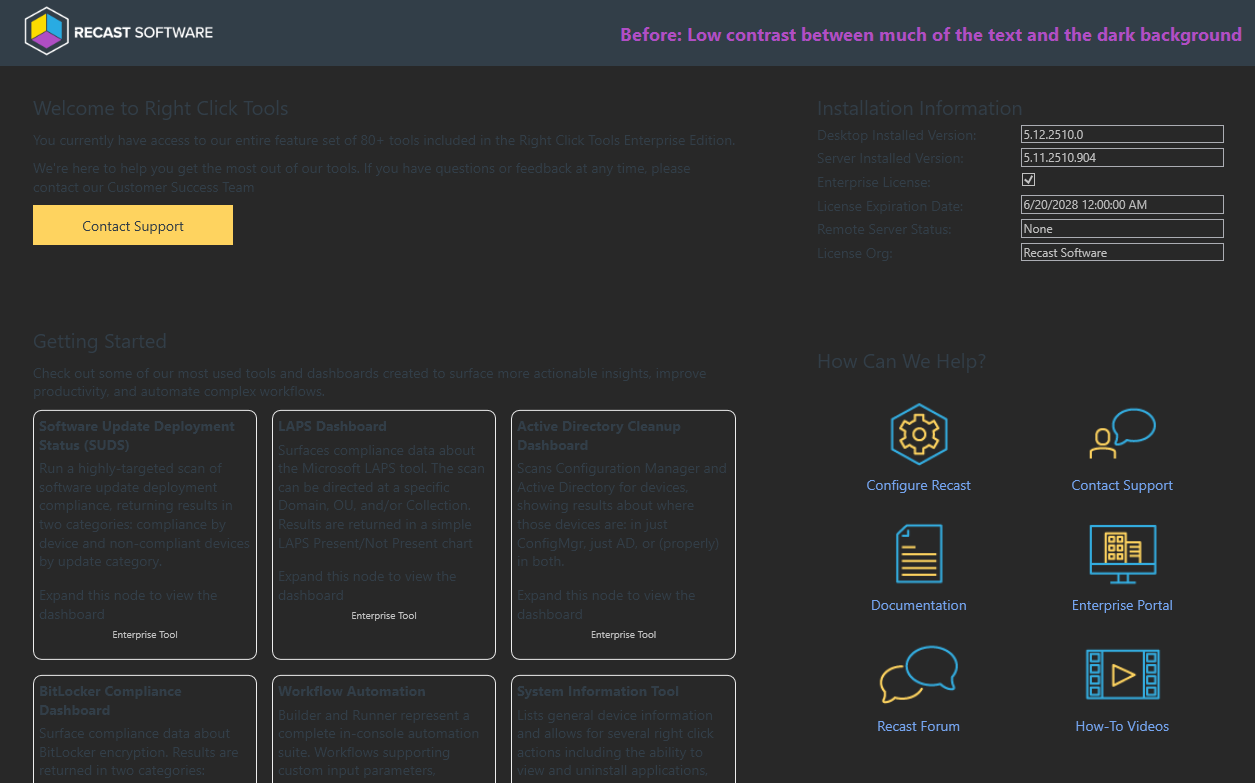
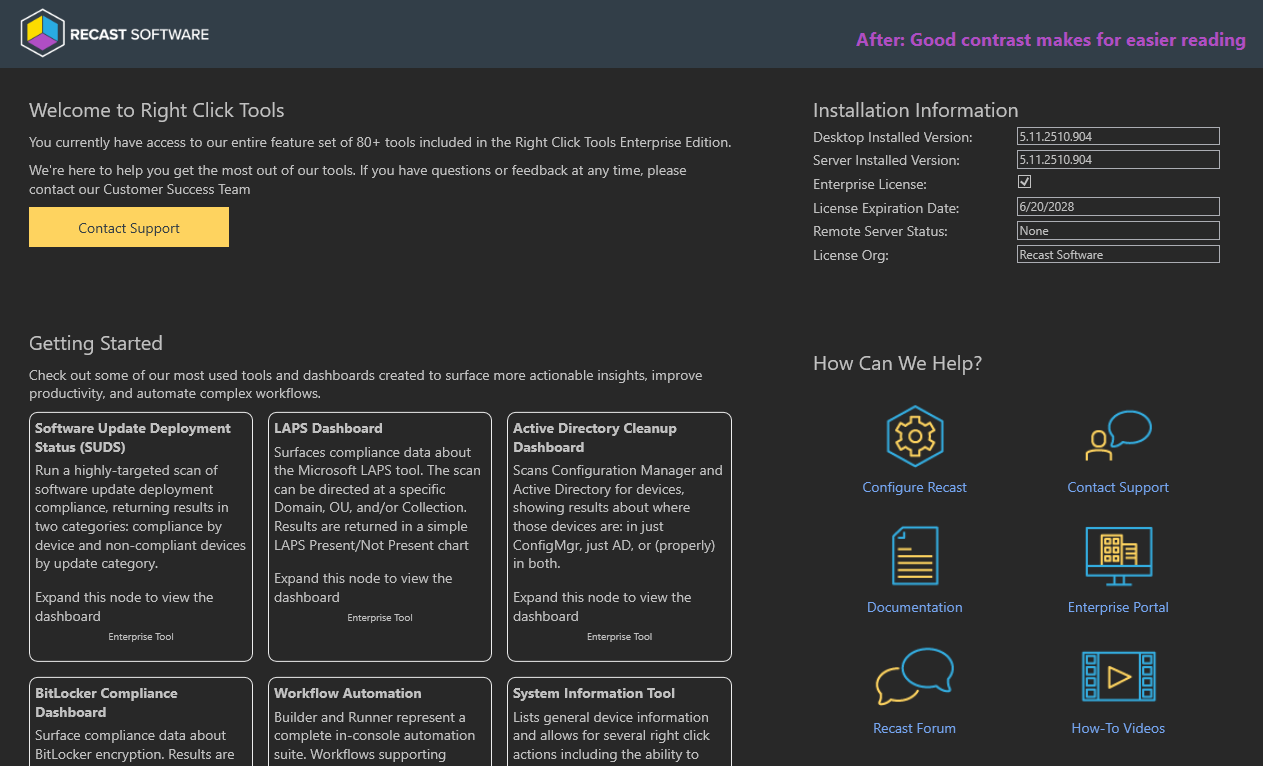
Recast node, Right Click Tools menus, and console dashboards: Text is much more readable when navigating ConfigMgr in Dark Mode. Additional improvements to come in December.
 |
 |
Recast node: You can now see and use the scroll bars when using Right Click Tools on smaller resolution screens.
Dashboards
LAPS Console Dashboard: Right-clicking on a device to retrieve a LAPS password no longer produces an 'Object reference not set to an instance of an object' error. (Customer-Reported Bug 74155)
Software Updates Deployment Status Web and Console Dashboards: Third-party updates published with RCT Patching correctly report their status correctly on the SUDS dashboards.
Software Updates Deployment Status Console Dashboard:
- Where the console extension is connected to RMS, a pie chart no longer appears by mistake in the Missing Updates By Category section when the selected collection contains no devices.
- Filtering by compliance, software update group, and classification now works as expected.
Tools
Remote Windows Security
- Just like in Recast Software 4.x versions, you can once again interact with the information on each tab while data loads. (Customer-Reported Bug 66015)
- The BitLocker tab loads correctly even when the information about available disks is incomplete.
- The Encryption Wizard correctly disables the Next button until a key protector is selected.
System Information
- Correct operating system build information now displays for all devices. (Customer-Reported Bug 3559)
- On the Applications tab, an uninstall string now appears even when the uninstall file is an executable.
Shutdown Tool: A 'Failed to parse start date and time' error does not appear when attempting to schedule a shutdown or restart.
Recast Builder
- Launching Recast Builder from the Right Click Tools Overview node won’t cause a ConfigMgr console crash. (Customer-Reported Bug 72310)
- When running automation actions against multiple devices, results are returned reliably to the console extension.
- New Builder actions are required to have unique names.
- Actions that return 'IAsyncEnumerable<T>' parameters correctly display the available properties.
Right Click Tools Insights
Warranty Information: Warranty reports now display the correct part numbers. (Customer-Reported Bug 60906)
Data Source Check Codes: DSC codes 170 thru 179 have descriptions instead of displaying 'n/a'. (Customer-Reported Bug 45797)
Right Click Tools Patching
Deployment Processes: Adding a negative delay no longer causes the deployment process to run multiple times.
Recast Management Server
Discovery Sync: Attempting to synchronize Active Directory data does not produce a timeout error about AD group memberships in the Recast Management Server logs. (Customer-Reported Bug 75507)
SQL Database: During a database upgrade, there's no longer a 500.30 error when RMS is waiting for the SQL server to complete its startup. (Customer-Reported Bug 14422)
Permissions: Email User, Interactive Command Prompt, Interactive PowerShell Prompt, and Manage Computer actions are properly grouped under Local Actions instead of Installed Software.
RMS Audit Logs: The Input Parameters field now allows for resizing and scrolling, meaning you can see all the information it contains.
Recast Portal
Password Creation/Reset: The Reset Password window now displays the required criteria instead of making you guess.
Password requirements:
- Minimum length of 6 characters
- Must contain a digit
- Must contain a lowercase character
- Must contain uppercase character
- Must contain a non-alphanumeric character
Release Date: October 29, 2025
Version 5.11.2510.2904 includes new features, plus a number of usability and accessibility enhancements. This version also adds bug fixes for Right Click Tools Insights, Privileged Access, and Patching.
Upgrade to this Recast Software release by downloading it from the Recast Portal. Instructions for installing this version can be found in our articles on updating Right Click Tools, Insights, Privileged Access, and Patching.
PLEASE NOTE: Version 5.11.2510.2904 replaces v5.11.2510.1301 in the Recast Portal. This release resolves an issue preventing Right Click Tools Insights reports from returning data for devices with Recast Agent version 5.11.2510.1301.
Features
Right Click Tools Patching
Schedule Deployments to Follow Patch Tuesday
You can now schedule deployments to coordinate with Microsoft's monthly security update release (aka Patch Tuesday). Previously, all deployment processes automatically ran as soon as a new application version was detected. With scheduling enabled, you can choose to deploy all application updates on, or soon after, Patch Tuesday. Future releases will add more scheduling options. See Deployment Scheduling.
KNOWN ISSUE (November 14, 2025): If a deployment process has scheduling enabled, clicking Reimport removes the deployment from MECM/Intune but does not import it. To work around this issue, you can temporarily disable scheduling, complete the reimport, and re-enable scheduling.
Deploy Applications and Updates to Intune's Built-in Groups
You can deploy applications to the All Devices and All Users groups built into Intune. See Add a Deployment Process.
Append or Replace Default Install/Uninstall Parameters
You now have the option to either append additional installation parameters onto the default install command or to entirely replace the default installation command. Previously, custom installation parameters were always added to the end of the default install command. If the parameter was already configured in the default command, the appended parameter was not applied. For ConfigMgr instructions, see Additional Installation Parameters; for Intune instructions, see Program Settings.
Updated Product Name in Software Updates for ConfigMgr
The Software Update for ConfigMgr feature now creates applications for WSUS using Recast as the publisher name and RCT Patching as the product name.
Required action: Customers who deployed the initial September 2025 version with Application Manager as the product name must update it to RCT Patching on the Software Update Point Component Properties page to ensure that new application updates appear automatically in the ConfigMgr Software Update service. For more information, see Add a Software Update Process.
Right Click Tools
Deregister Devices from Windows Autopilot
Using our first Right Click Tool for Windows Autopilot, you can remove one or more devices from Autopilot. Future releases will add more Autopilot actions.
Usability & Accessibility Improvements
Right Click Tools Patching
We've added an array of small changes intended to prevent confusion, reduce friction, and make Patching easier:
Visual clarity on applications that can't be deployed in an environment
When selecting applications for a deployment process, you may see applications that are greyed out and disabled. This indicates that the application is not available for deployment to the selected environment. Hovering over the information icon displays the reason you cannot choose the application.

Easier deployment sequence adjustments
It's easy to reorder the deployment sequence by moving individual deployment steps and delays up or down on the Deployment Process Details page. See View or Edit Deployment Process Settings.

A guard rail for deployment step deletion
Selecting Delete Deployment Step from the drop-down menu on the Deployment Process Details page now opens a confirmation dialog, offering the opportunity to reconsider an action that can't be undone.

"Run" button now labeled "Check for Updates"
On the Deployment Process Details page, the Run button is now labeled Check for Updates to alleviate confusion about its function. Clicking Check for Updates still checks for new application versions and runs the deployment process when a new version is found in the Applications Catalog.
A more visible Reimport function
A new Reimport button sits next to Check for Updates on the Deployment Processes page, making it easier to find than the Reimport Applications option in the More Options drop-down menu.

Right Click Tools Insights
Device Warranty Information Dashboard
Fine tuning the design for better accessibility:
- Chart tooltips are now white text on a black background. The updated styling matches that of the Warranty Timeline tooltips and provides better contrast and readability. Previously, chart tooltips had a background color that matched the selected chart segment, meaning that the degree of contrast varied.
- The Export to CSV button now features white text on a blue background to make it easier to spot.
Bug Fixes
Right Click Tools Insights
Device Warranty Information Dashboard:
- The Manufacturer column sorts correctly
- Global search works for the Remaining Coverage and Warranty End Date columns
- For exports to CSV, Remaining Coverage displays correctly
Right Click Tools Privileged Access
Self-Service: The Recast Management Server no longer produces a 'Managed user not found' error when the device requesting self-service capabilities is a hybrid device managed from Intune. (Customer-Reported Bug 76626)
Right Click Tools Patching
Intune Integration: The same application and version are no longer added to Intune with every import. (Customer-Reported Bug 78773)
Custom Applications: It's once again possible to select custom applications for deployment processes when creating a new deployment process.
Deployment Processes: A single deployment process appears on the Applications page after adding additional applications to a previously saved deployment process. Previously, the Deployment Processes column displayed extra deployment processes.
Recast Agent
Event Viewer: Stopping the Recast Agent service no longer causes a crash to be reported in the Event Viewer. (Customer-Reported Bug 78050)
Release Date: September 17, 2025
Version 5.11.2509.1603 features new functionality in Right Click Tools Patching and Right Click Tools Insights. This version also includes bug fixes for Right Click Tools, Privileged Access, Patching, and the Recast Management Server.
Upgrade to this Recast Software release by downloading it from the Recast Portal. Instructions for installing this version can be found in our articles on updating Right Click Tools, Insights, Privileged Access, and Patching.
Features
Right Click Tools Patching
Publish Third-party Updates to ConfigMgr's Software Update Management
In addition to creating applications in Configuration Manager and Intune, you can now use RCT Patching to publish updates to Configuration Manager's Software Update Management. Use ADRs to update software from our catalog of 4000+ applications alongside updates from your Microsoft WSUS catalog. To learn how, see Add a Software Update Process.
NOTE: This feature requires a Right Click Tools Patching Enterprise license.
Automate Application Removal from Configuration Manager
Right Click Tools Patching now supports deployments that uninstall applications from ConfigMgr. When configuring an uninstall deployment, you can also add pre- and post-uninstall actions.
Run All Deployments at Once
If your list of deployment processes is long, you'll be happy to hear that you can run all of them, including those that are paused, at once by selecting the Run All Deployments option on the Deployment Processes page.
View and Search Our Full Application/Update Catalog
All Right Click Tools Community users and Enterprise customers now have full visibility into the Patching Catalog within the Configuration Manager console. Browse 4000+ applications, or quickly pinpoint specific ones, that you could more easily keep secure and up-to-date with Right Click Tools Patching. For details, see View and Search the Application Catalog in Configuration Manager.
NOTE: Catalog viewing and search do not require a Patching license.
Right Click Tools Insights
Explore the New Warranty Information Dashboard
A new Insights dashboard in your Recast Management Server visualizes your device warranty landscape. This Preview version includes a warranty expiration timeline as well as charts that display your devices according to warranty status and manufacturer. For a walkthrough of the data available in this initial iteration, see View the Warranty Information Dashboard.
NOTE: This feature requires a Right Click Tools Insights license.
Right Click Tools for Intune
Run Recast's Intune-Focused Tools on Multiple Devices at Once
You can now multi-select devices in Intune before running the Delete Devices from Intune/Azure, Add Devices to an Entra Group, and Sync Intune App and Compliance Policy tools.
Bug Fixes
Right Click Tools
Send Notification Tool: Toast notifications now work as expected. (Customer-Reported Bug 67195)
Right Click Tools Privileged Access
Groups: You can now remove a group member who belongs to a foreign Active Directory forest. (Customer-Reported Bug 63256)
Right Click Tools Patching
Deployment Processes:
- The Deployment Process Gantt chart correctly displays the selected Deployment Type. (Customer-Reported Bug 71478)
- The 'Exclude Weekends' scheduling option now works as expected. (Customer-Reported Bug 74346)
Recast Management Server
Recast Proxy: Proxies connect more reliably to the Recast Management Server upon startup.
