By default, applications indicated as dependencies are automatically added to deployment processes. You also have the option to prevent dependencies from being added, which may be helpful if a specific dependency is known to cause issues when updating applications with RCT Patching. For example, see Issues Updating Adobe Acrobat Products.
NOTE: Make sure you manage any excluded dependencies manually to ensure that applications continue to work correctly.
Recast recommends configuring dependency exclusions using application settings rather than deployment process settings.
To exclude dependencies for a specific application:
1. On the Applications page, click the Settings cog to the right of an application.
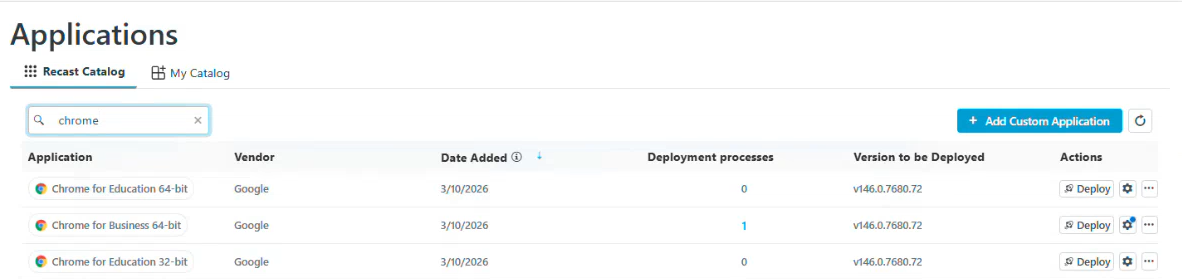
2. In the side panel, open the Advanced tab and scroll down to the Dependencies section.
3. Toggle Exclude Dependencies to 'Yes'.
4. Click Save & Close.
