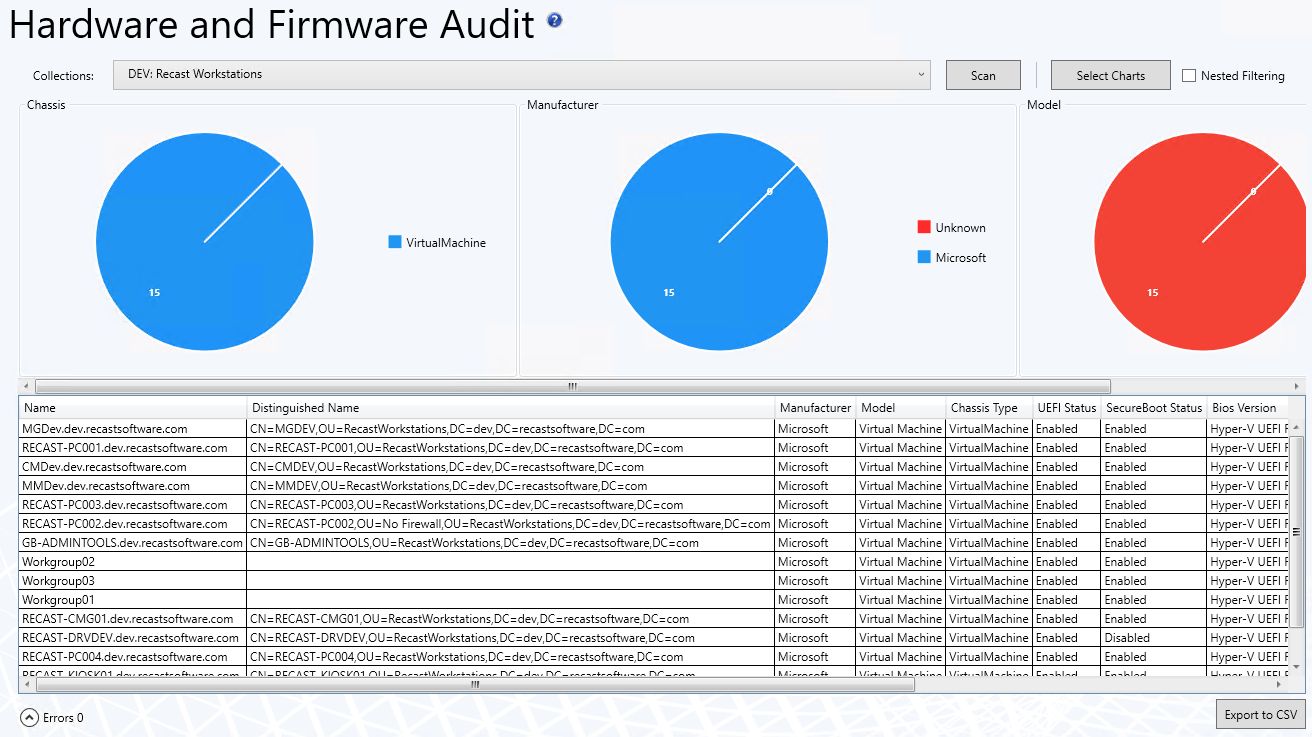
The Hardware and Firmware Audit dashboard displays computers in selected ConfigMgr collections according to chassis type, manufacturer, model, SecureBoot, UEFI, and BIOS version. This dashboard pulls information from your ConfigMgr database.
Add win32_computersystemproduct and win32_baseboard to your hardware inventory classes for full functionality with Lenovo and HP models.
To scan devices:
1. In your Configuration Manager console, expand the Recast Software node in the navigation panel and select Right Click Tools > Hardware and Firmware Audit.
2. Filter by Collections.
3. Click Scan.
Hardware and Firmware Audit Charts
By default, the dashboard displays devices by Chassis, Manufacturer, and Model.
You can also click Select Charts to add SecureBoot, UEFI, and BIOS version charts. Scroll to the right to view additional charts. Click and drag charts to reorder them.
Click on a segment of the chart or legend to view details in the bottom section.
Enable Nested Filtering to drill down on chart data.
Download results by clicking Export to CSV at the bottom right of the page.
Actionable Results
From the dashboard, you can run any Right Click Tools device action on single or multi-selected devices.
Recast Permissions
| ConfigMgrServer | GetActiveDirectoryForests GetAllCollections GetAllDeploymentTypes GetAllDeviceCollections GetAllDevices GetAllDevicesinOu GetBaseboardInformation GetChassisInformation GetComputerSystemInformation GetComputerSystemProductInformation GetDeviceCollectionFolders GetDeviceCollectionInformationforDevice GetDeviceCollectionMembers GetDeviceCollectionsinFolder GetDevicesInCollectionScope GetDevicesInSiteScope GetSiteDeviceCollectionsWithFolders GetSystemBiosInformation GetSystemConsoleUsageData GetSystemOperatingSystemInformation GetUnknownDevices GetSystemFirmwareStatus |
Microsoft Permissions
The Hardware and Firmware Audit Dashboard requires read rights to device collections for the Collection drop-down. It will need permissions to query devices within those collections as well as those devices' hardware inventory data.
